Home / Invoices & Billing / Quotation / Estimate Template
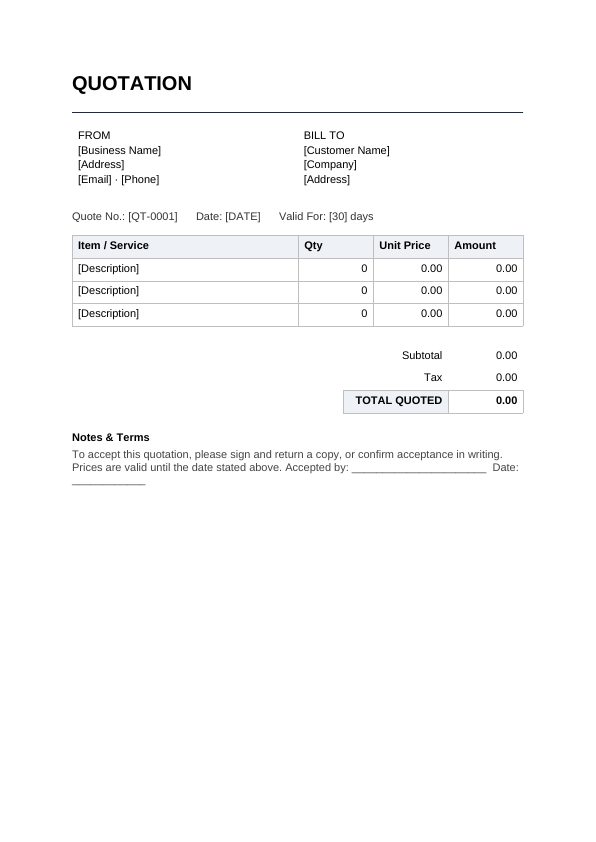
Preview of Quotation / Estimate Template — page 1FREEClick to open full PDF preview
Invoices & Billing · DOCX + PDF · A4

Quotation / Estimate Template

A professional price quotation to send prospective customers, with itemised pricing, validity period and acceptance line.

Free for personal and business use. No signup, no watermark.

What's inside

  • A professional header with your business and customer details
  • An itemised table for descriptions, quantities and amounts
  • Subtotal, tax and total rows that are easy to adjust
  • A notes and payment terms section you can customise
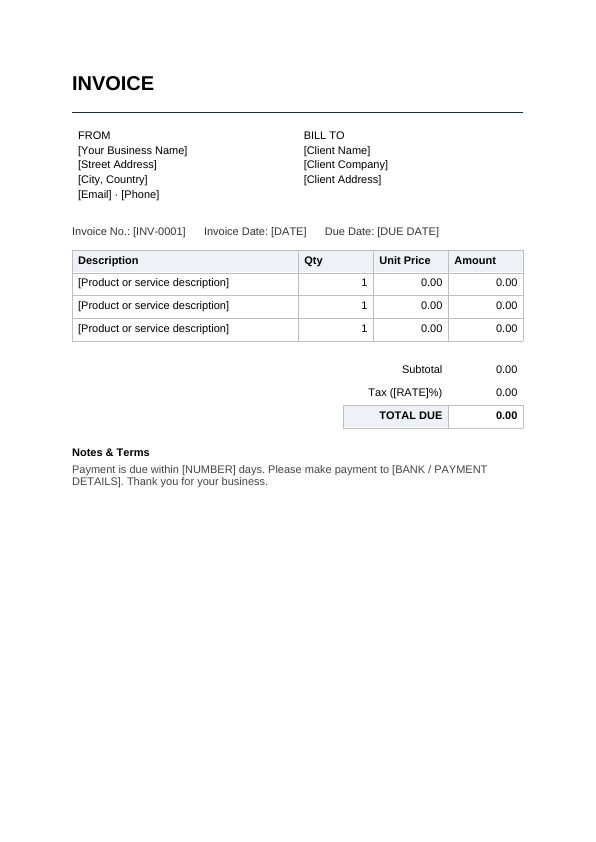
What this template covers

The document opens with your details and the recipient's side by side, followed by reference fields (quote no., date, valid for). The main table has columns for item / service, qty, unit price, amount, and the summary rows cover subtotal, tax, total quoted. A notes section at the bottom holds your payment terms.

No 006 · Last updated June 2026 · A4 · Microsoft Word, Google Docs & LibreOffice compatible

How to use this template

  1. Download the Word version above and open it in Microsoft Word, Google Docs or LibreOffice.
  2. Fill in the placeholders. Anything in square brackets — [Client Name], [Date], [Amount] — is a marker showing exactly what goes there. Type your details over them.
  3. Adjust to fit. Add or remove rows, sections or paragraphs; the formatting will hold.
  4. Save or print. Export to PDF from your editor when you need a fixed, shareable copy.

This template is a general example provided for convenience. It is not legal, financial or professional advice — for agreements and formal documents, consider having a qualified professional review your final version for your jurisdiction.

Frequently asked questions

Does the Quotation / Estimate Template calculate totals automatically?

No — it's a Word document, so amounts are typed in manually, which keeps it simple and universally compatible. If you invoice heavily and want auto-calculation, recreate the same layout in a spreadsheet.

Can I add my logo?

Yes. Open the Word file and insert your logo at the top (Insert → Pictures). The layout leaves room in the header area.

Is the Quotation / Estimate Template really free?

Yes — free for personal and business use, with no signup and no watermark. You may not resell or republish the template itself, but documents you create with it are entirely yours.